The question it answers
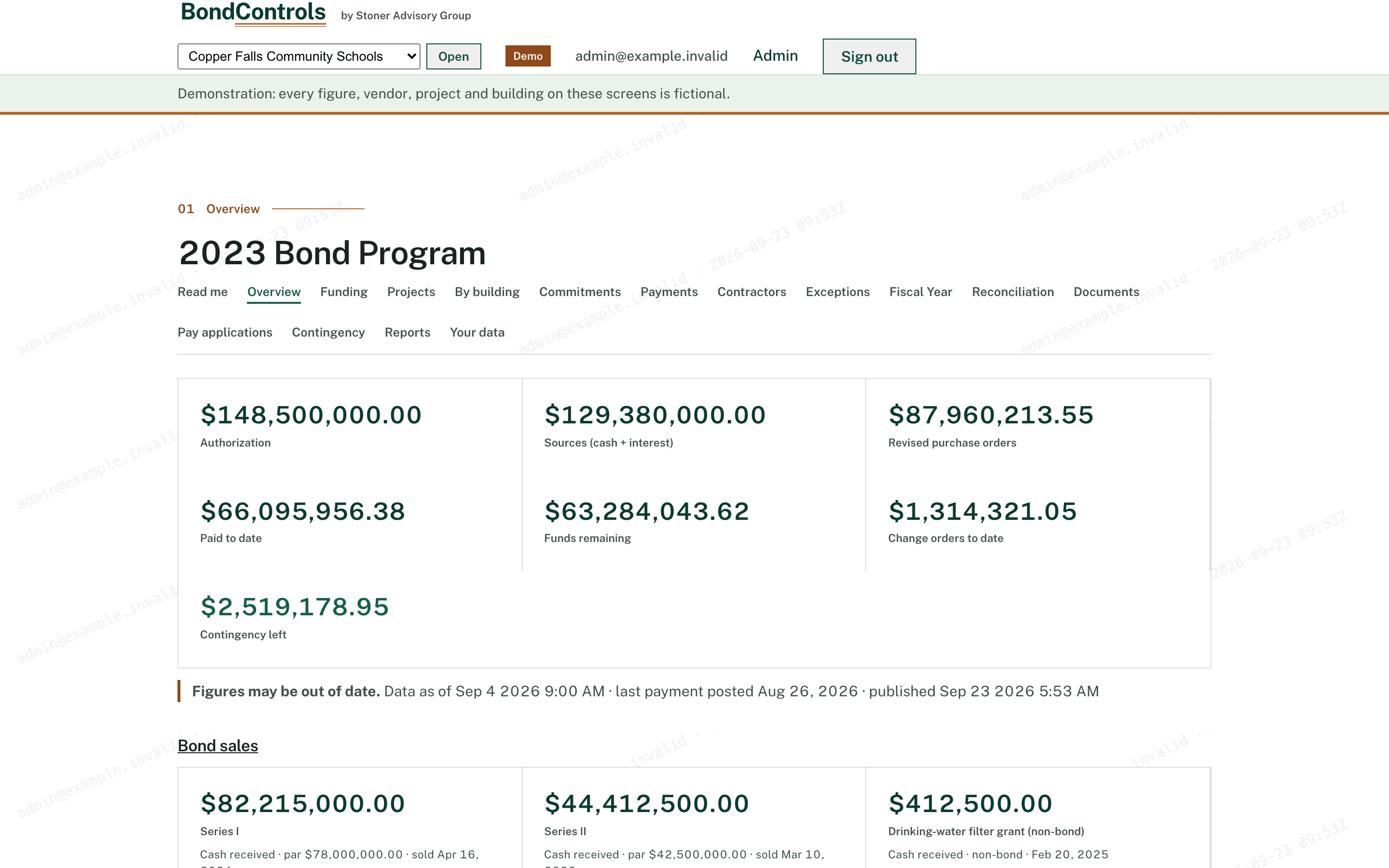
Where does the program stand today?
Overview. Authorization, sources, revised purchase orders, paid, remaining, change orders and contingency left, with the paid-of-sources ring and monthly spend by group.
What the board sees
Board members get a read-only view; the business office gets the drill-down. Every figure clicks through to the line it came from, and every view is logged.
Demonstration data Every screenshot below shows Copper Falls Community Schools, a fictional district. The figures describe no real district’s records.
The question it answers
Overview. Authorization, sources, revised purchase orders, paid, remaining, change orders and contingency left, with the paid-of-sources ring and monthly spend by group.
The question it answers
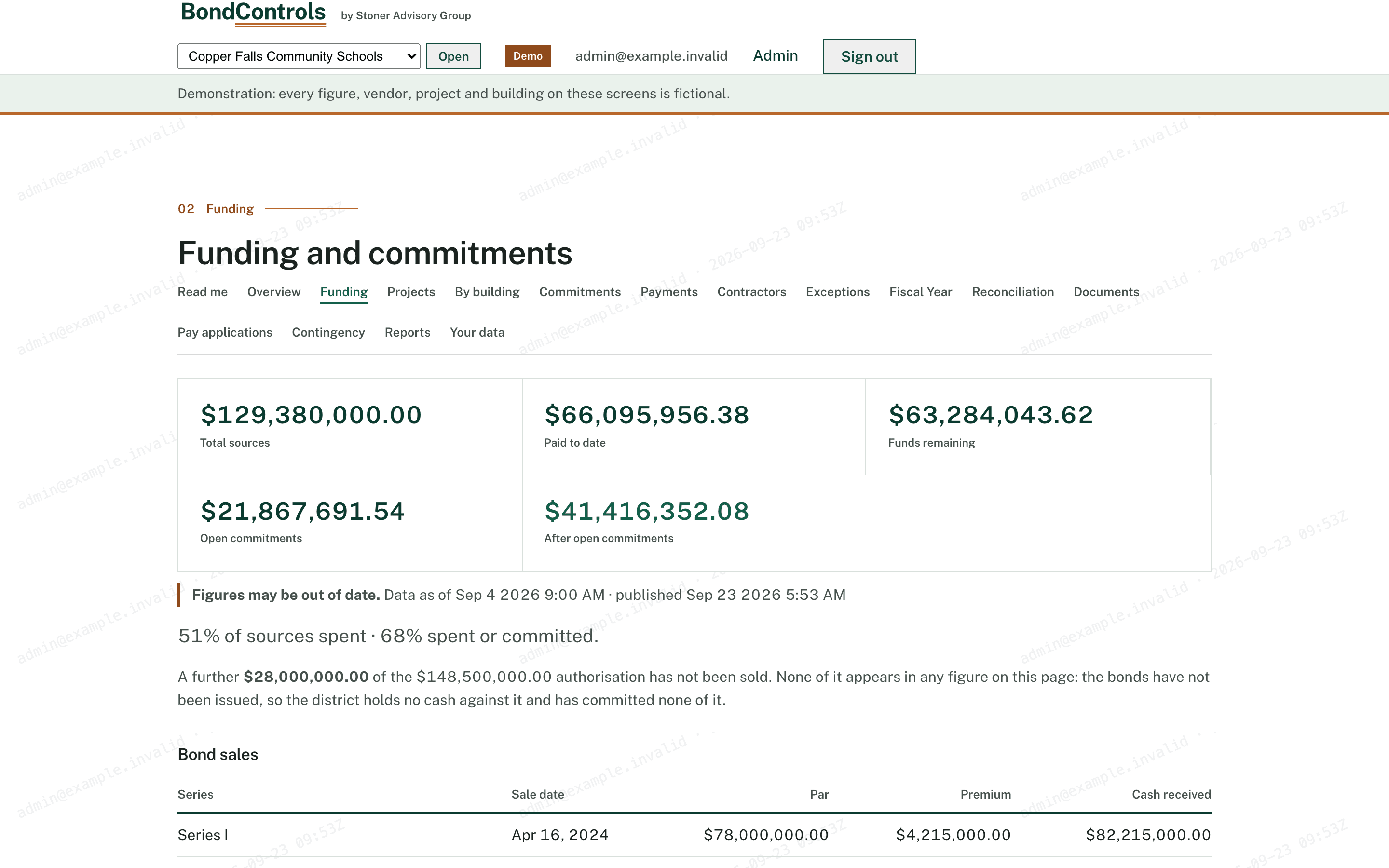
Funding. Bond sources against commitments, the part of the authorization not yet sold, and cash after commitments.
The question it answers
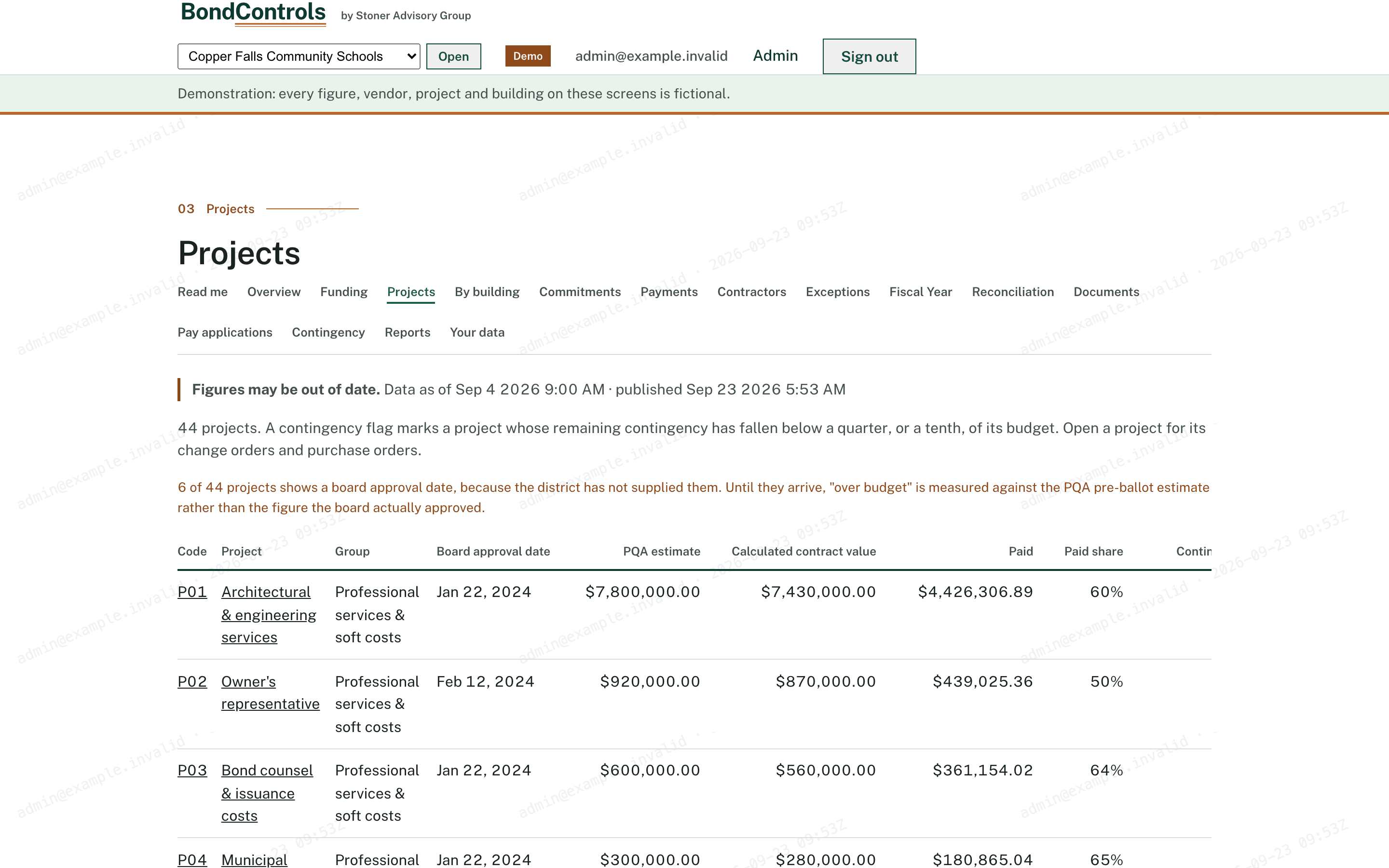
Projects. Budget, paid, remaining and a contingency flag for every project; drill into change orders and purchase orders.
The question it answers
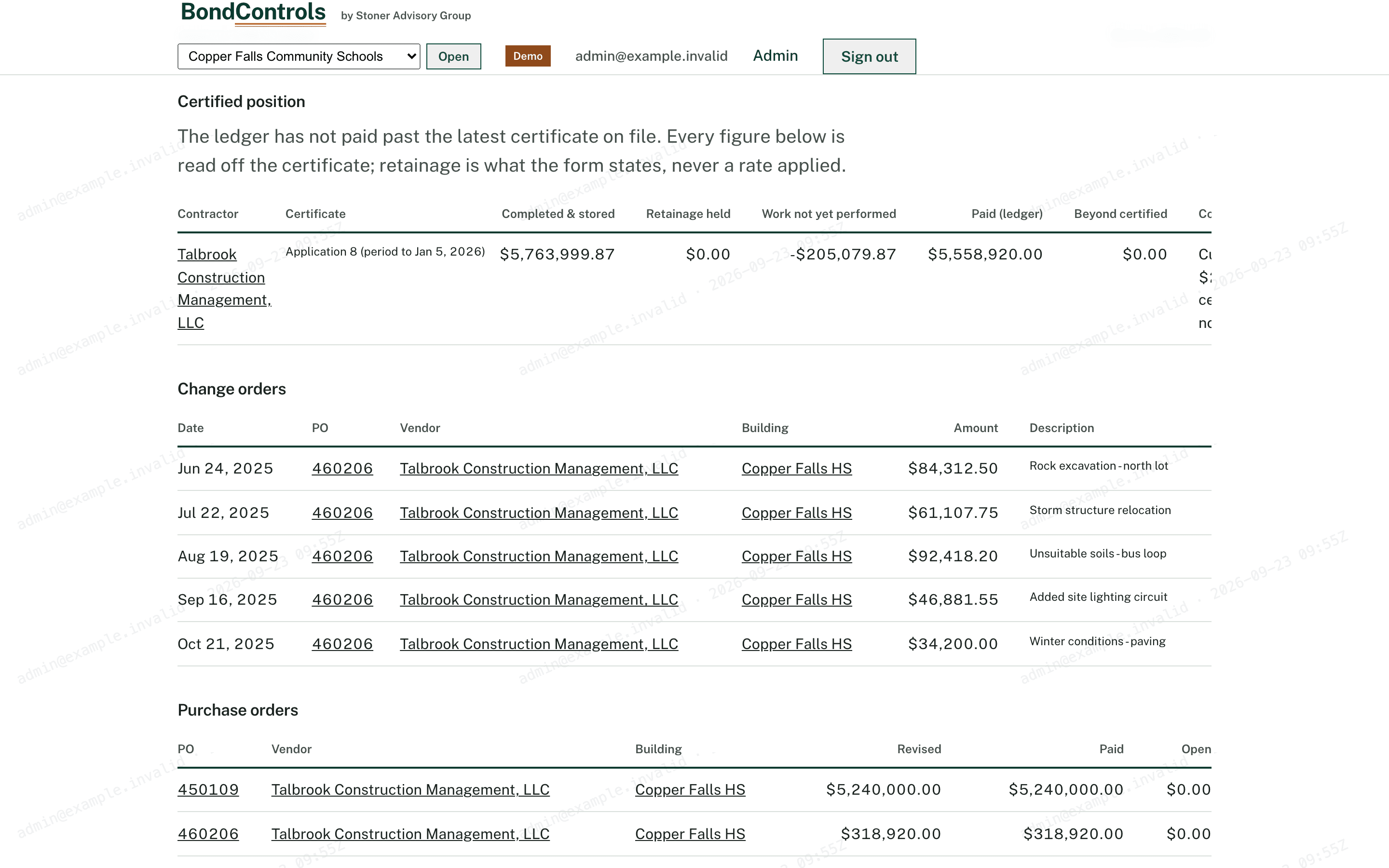
Certified position. The latest AIA G702 on each contract beside the ledger: current, stale, or uncomparable, with the “paid beyond certified” gap when there is one.
The question it answers
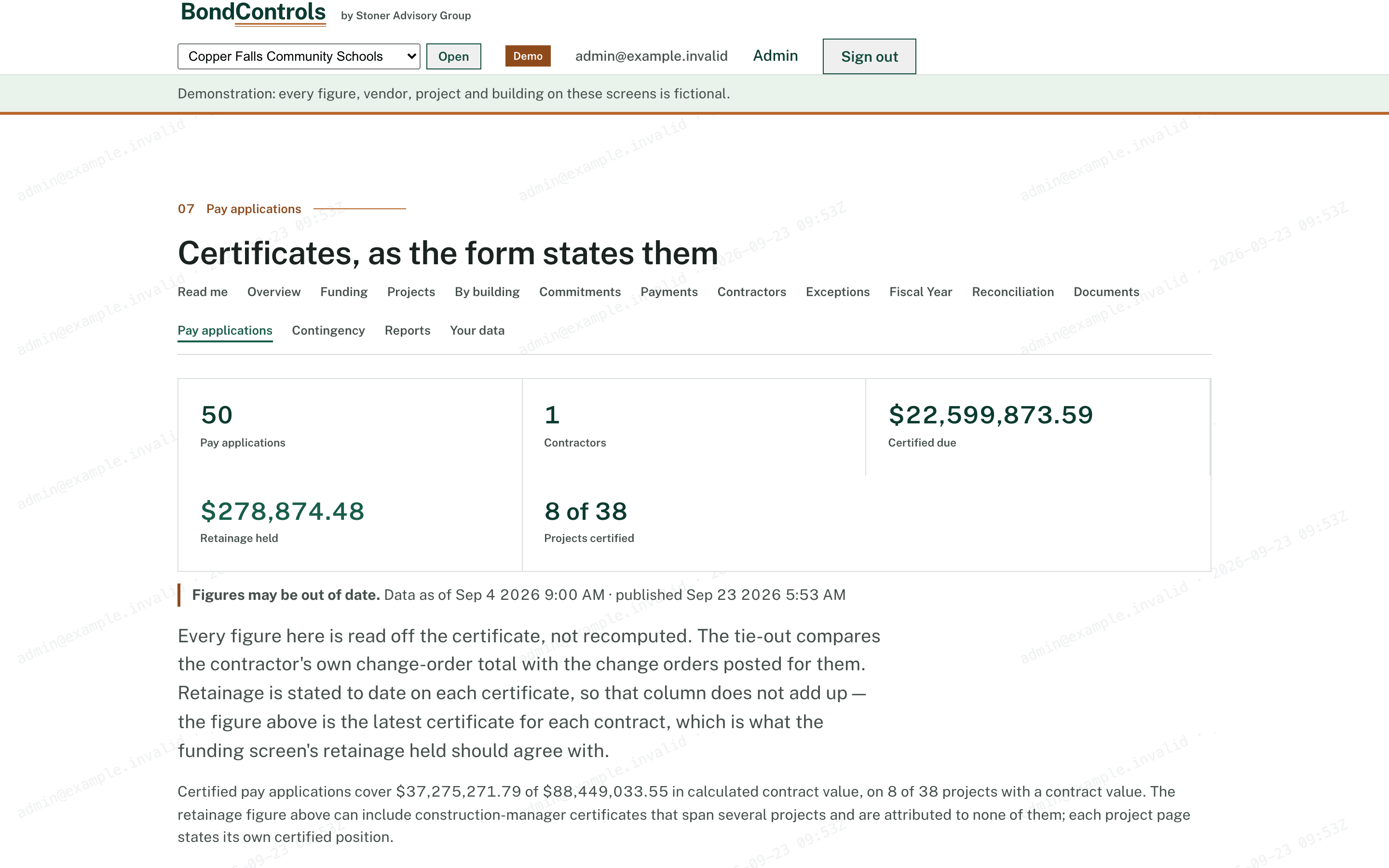
Pay applications. Every G702 exactly as stated, a change-order tie-out column, retainage held, and how many projects are certified.
The question it answers
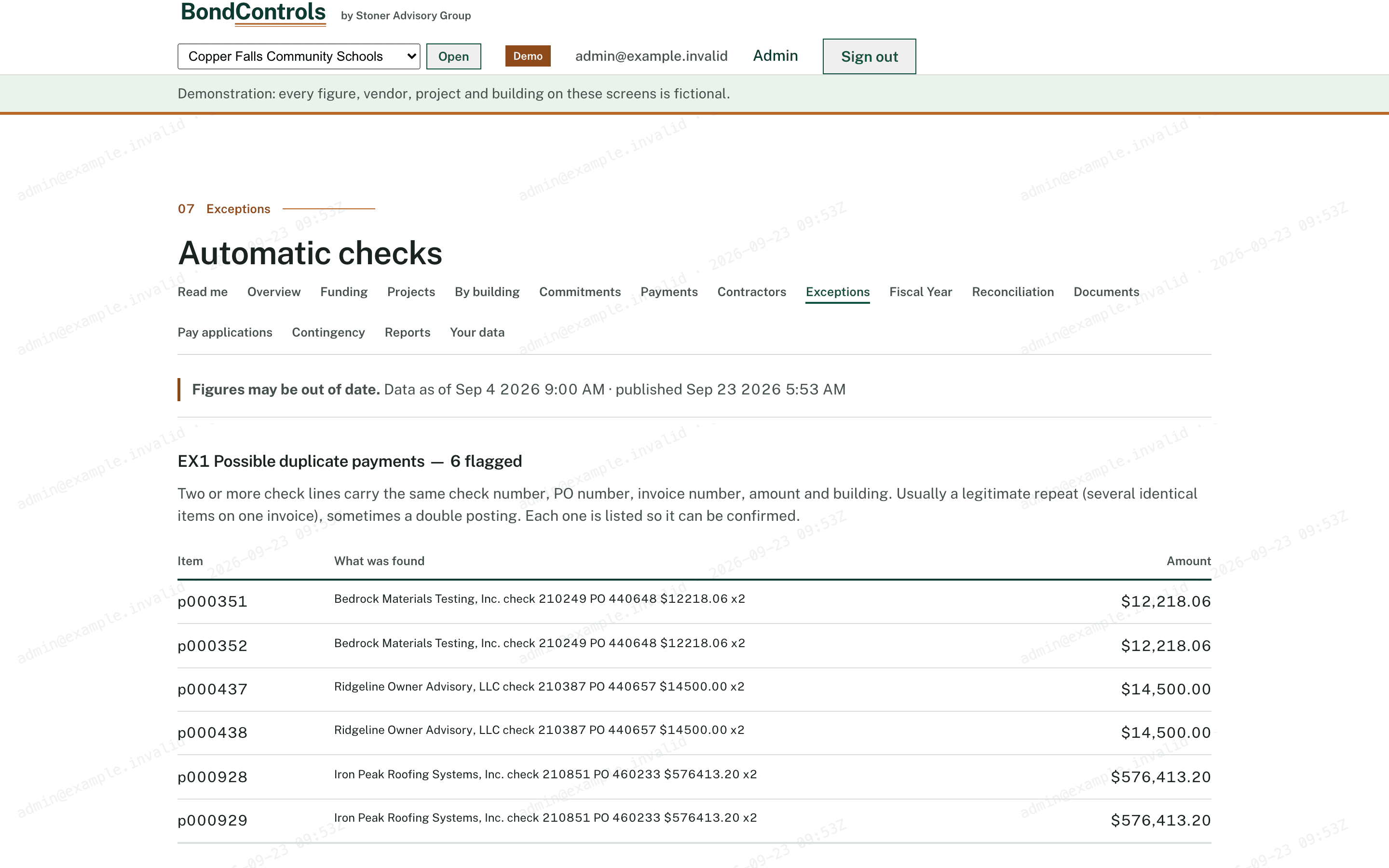
Exceptions. The six checks, their hits, and the source line behind each one.
The question it answers
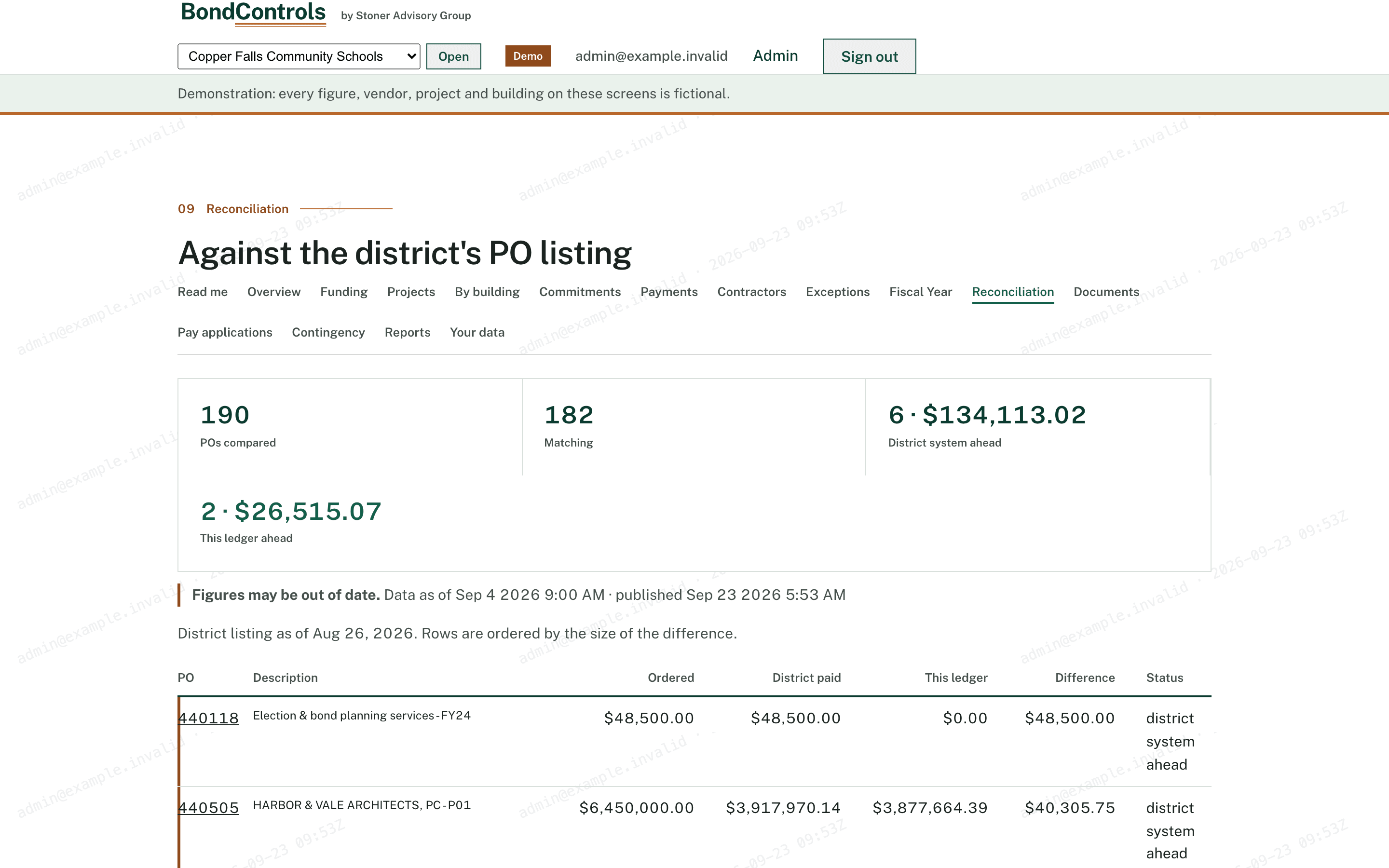
Reconciliation. Tracker figures against the district’s PO listing, line by line, with the differences explained.
The question it answers
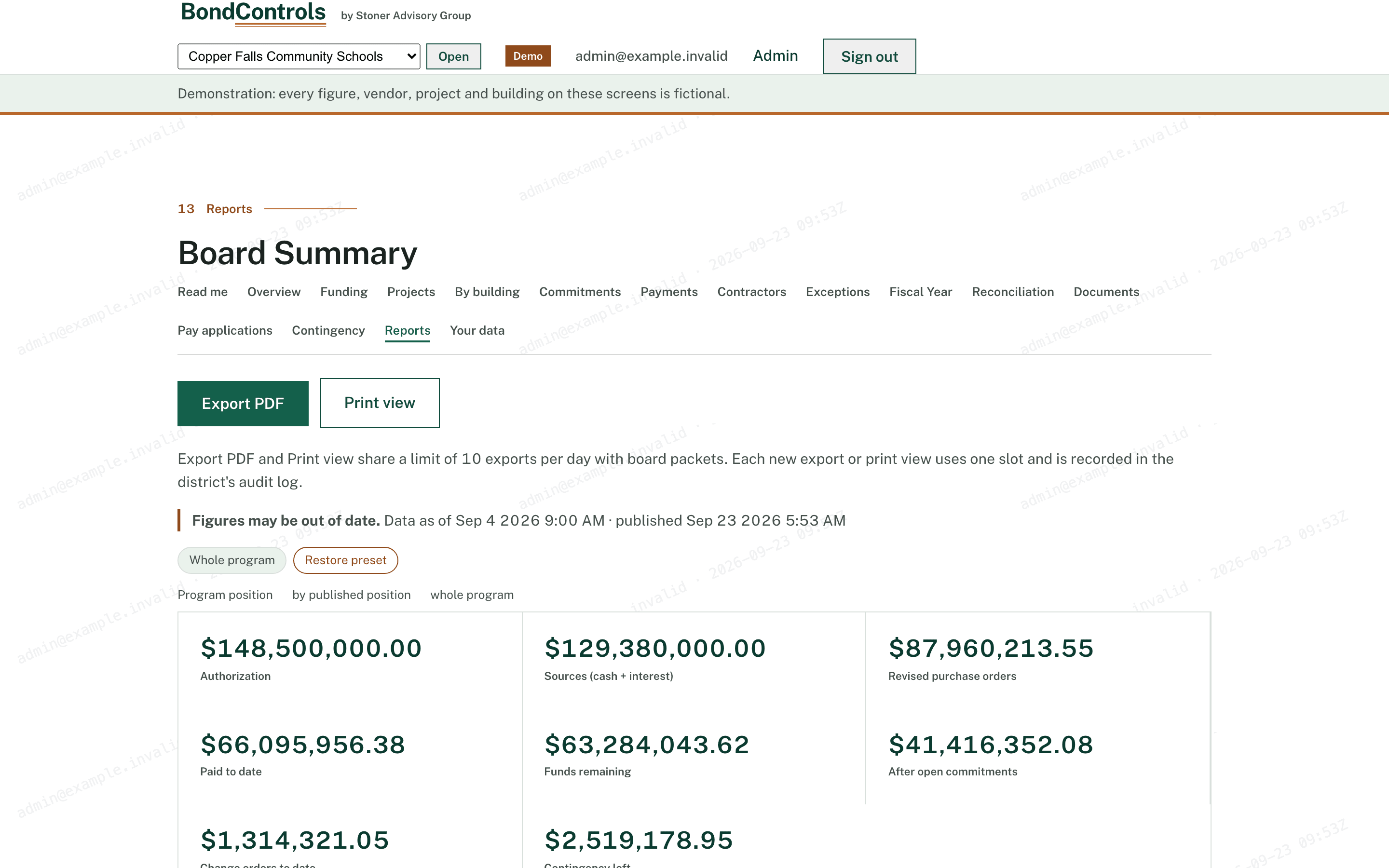
Reports and board packet. Six preset reports, a builder, a print view, and the quarterly board-packet PDF.
Ask for thirty days on the demonstration district, or ask us to walk your board through it.